Scene Voice

A screenplay, read to you like a table read.

Import a script — PDF or Final Draft — and Scene Voice performs it, every character cast with their own voice. Listen to a draft like an audiobook, rehearse against it, tape your audition to it, or break it down for production. Entirely on your iPhone or iPad. Nothing leaves your device.

Twenty-nine voices, built in PDF & Final Draft Reads with the screen locked

Who’s it for?

One is listening for the writing, one is counting the days, one is learning the lines. Scene Voice is built for all three.

Writers

Hear it back

A performed read is merciless in the best way — dialogue that reads well but plays badly announces itself in seconds. A full pass of your draft, on the way somewhere, with the screen locked.

Filmmakers

The production view

A scene-by-scene breakdown measured from the script itself: page counts to the eighth, locations, cast, estimated runtimes, a continuity sheet, a props breakdown, picture vehicles — exported as working spreadsheets with live totals, each carrying the draft history.

Actors

Rehearse and tape

Cue Me plays every part but yours, waits at your lines, and carries on when it hears you finish. Sides narrows the script to your scenes. Self tape films you while it reads the other parts into your headphones — slate included, as many takes as you like.

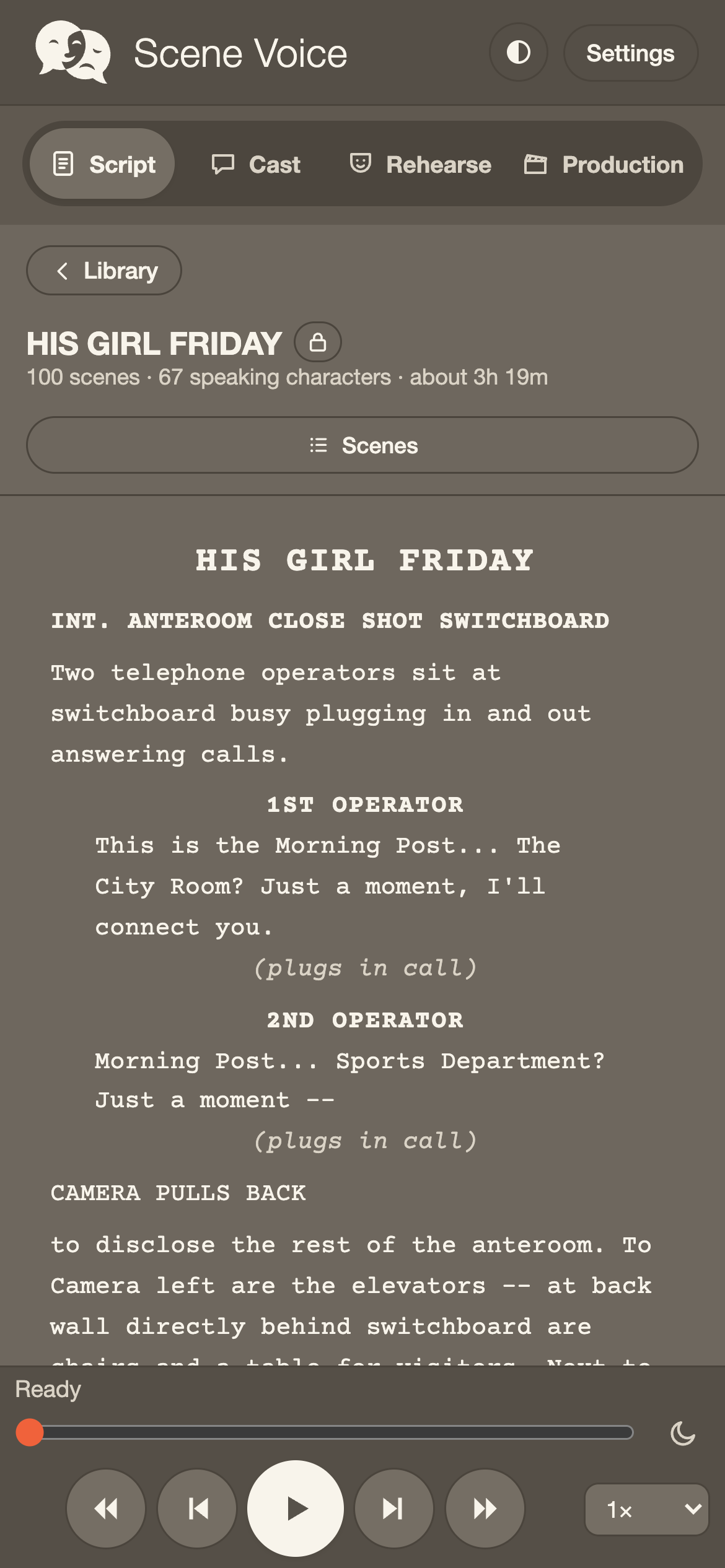
The readEvery line performed
Scene Voice reading a screenplay — the script page with the reading transport below
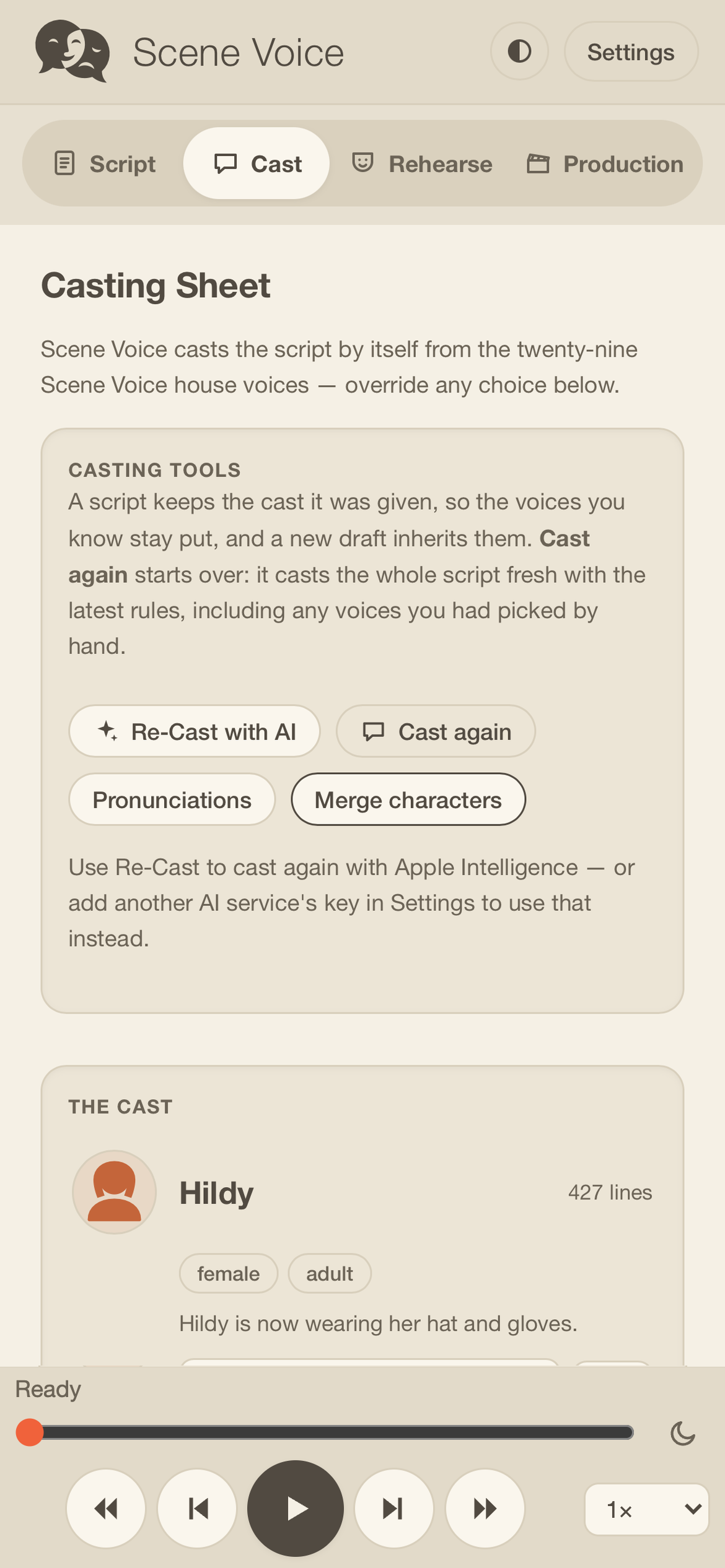
The castEvery character, a voice
The cast panel — every character with their own Scene Voice house voice, changeable per role
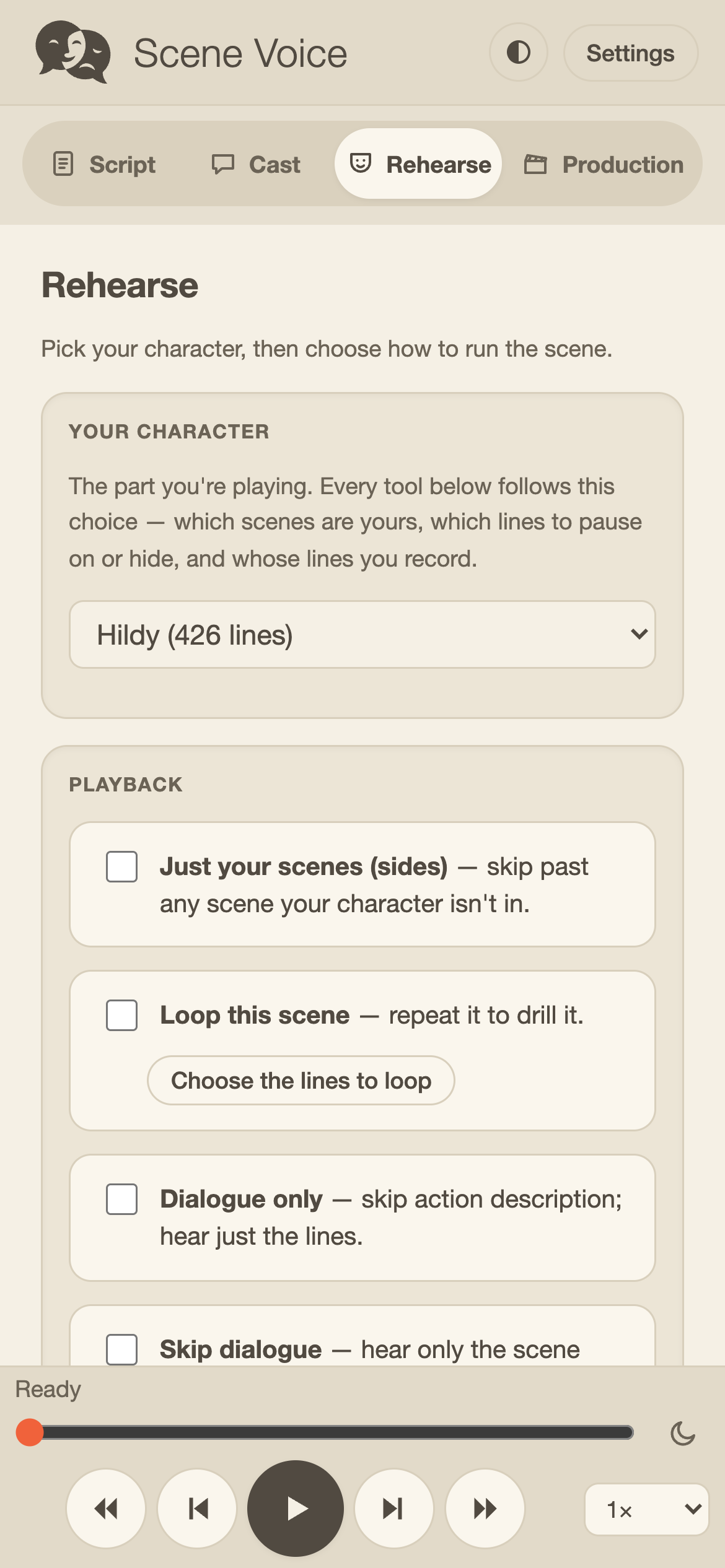
RehearseSelf-tape, set up your way
The rehearse tab — self-tape controls: camera, countdown, pauses, dim and teleprompter
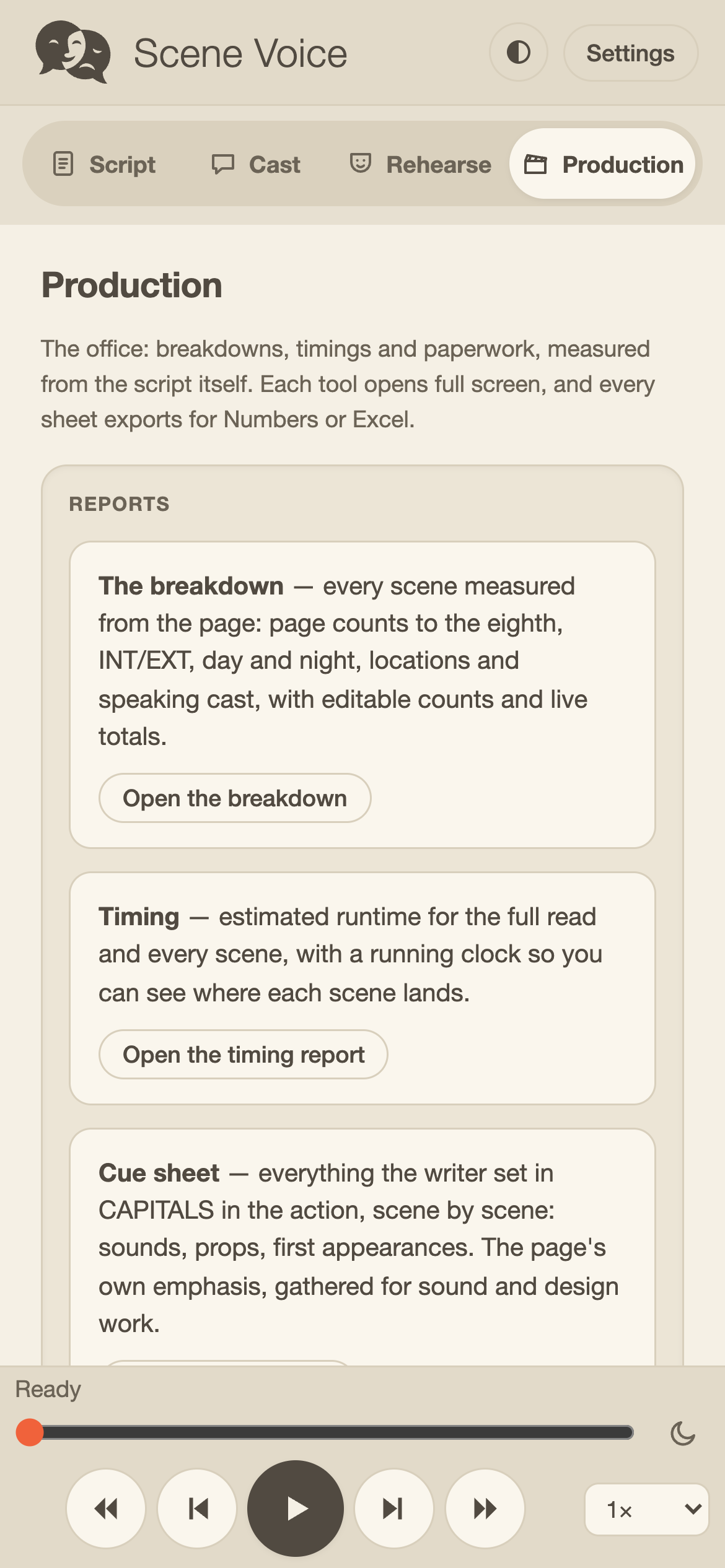
ProductionThe office, in your pocket
The Production tab — breakdown, timing, cue sheet, cinematography and day out of days, each opening full screen
Privacy

Private by construction.

Your script never leaves your device. The voices are built into the app and perform entirely on your iPhone or iPad — scripts, audio, and self-tapes all stay in your hands. The few optional extras that would send anything anywhere are off until you switch them on, and a script marked Confidential is untouchable by any of them.

Built for working scripts — the ones under NDA, the ones that aren't announced, the ones that are yours.

Features

Everything Scene Voice does.

Four working parts, all reading the same script: the read itself, the casting, the rehearsal tools, and the production paperwork.

Twenty-nine voices · No account · Nothing uploaded

The read

Import a script and hear it performed.

01
  • PDF and Final DraftImports from Mail, Files, or any share sheet.
  • Twenty-nine built-in voicesThey perform entirely on your device.
  • Names read rightA pronouncing dictionary of names, dropped g's, stretched words and script dialect. Measured on 224 screenplays.
  • Shorthand spoken as EnglishSluglines become sentences, abbreviations are read out, page furniture is skipped.
  • Reads with the screen lockedA script on the commute, start to finish.
  • Scene-by-scene navigationJump, scrub, and change the speed as it reads.
  • New drafts carry your work forwardA new draft is recognised by its scenes, whatever the file is called. Your cast, recordings and notes move with it, the rewritten scenes are marked, it can read just what changed, and you choose whether to keep the old draft or replace it. Every report carries the draft history.
  • Single-voice modeOne narrator announcing each speaker, when you'd rather have that.

The cast

Every speaking role, given its own voice.

02
  • Casts itself on importEvery speaking role gets a fitting voice; change anyone with a tap.
  • Children's voicesAmerican and British, boys and girls. A character written as a child is cast in one automatically, and any voice is still yours to change.
  • Merges duplicate charactersIt suggests only the likely ones — never COP #1 and COP #2 — and you can combine any two by hand.
  • Pronunciations you set onceSpell the sound once and every voice says it that way. The app lists the words it had to guess, so you can teach them before they jar.
  • Your own voice on your linesRecord a take and it plays inside the read, in place of the app's voice.
  • Bring your own ElevenLabs keyAn optional extra for more variety and lifelike delivery from their cloud voices. Off until you add it, and never available to a Confidential script.

Rehearsal & taping

Run the lines, then put them on camera.

03
  • Cue MePlays every part but yours and waits at your lines. It listens and carries on when you finish speaking — or continues by tap or timer, as you prefer.
  • BlackoutHides your lines to test your memory, with first letters as a crutch and a prompt button when you need a word.
  • SidesNarrows the whole script to your character's scenes.
  • Rehearse with a scene partnerSend your recorded lines or notes as a file — no accounts, no server. Their lines play in place of the cast voice.
  • Self-tapeFilms you while the other parts play into your headphones, then mixes them into the finished video in your camera roll.
  • Countdown and tailA countdown before recording, your choice of tail after the final line, and a dim or teleprompter screen while you act.
  • SlatesName, role and agency, recorded as their own clip, ended by silence and trimmed to your last word.

The production view

The paperwork, measured from the page itself.

04
  • Scene-by-scene breakdownPage counts to the eighth, INT/EXT, day and night, locations, speaking cast.
  • Runtime estimatesFor the full read and for every scene.
  • A cue sheet from the pageEverything the writer set in capitals in the action: sounds, props, first appearances, gathered scene by scene.
  • Cinematography digestThe writer's camera, scene by scene: every shot call, move and transition the page asks for.
  • Day out of daysWho appears in which scenes, with the full character-by-scene grid in the export.
  • Continuity sheetStory days read from the page, each character's wardrobe and its changes, damage carried through the day, weather, season and hair & make-up cues — for costume, HMU and the AD.
  • Props breakdownEvery object a character handles, who handles it and where, with the sentence it came from — weapons, money, consumables and damage flagged; class and quantity yours to set.
  • Picture vehiclesEvery vehicle the page names, from sluglines and action: scenes, moving or static, interior dialogue, stunts, drivers and description — hero, background or stunt yours to set.
  • The whole book in one fileEvery production report as a single spreadsheet — one sheet each, behind a cover page, with the draft history once at the back. Each report still exports on its own, so a department can be handed its own document.
  • Spreadsheet exports with live totalsThey follow your hand corrections — ready for Numbers or Excel.
  • Notes on any linePress and hold to write a direction, a beat, a reminder. Notes gather under their scenes, follow the script into its next draft, and print as a scene-by-scene PDF you can hand out.
  • Optional extras, off by defaultLifelike cloud voices and AI-written scene descriptions and coverage, never available to a Confidential script.

Put it to work on your own script.

Scene Voice is in beta on TestFlight. The beta is the real app — import your own scripts and put it to work.

Available now

Join the TestFlight beta

The full app, on your iPhone or iPad.

Join the TestFlight beta
or wait for launch

Leave an email and hear about it once, when it ships. Nothing else is sent, and the address is never shared.